FortniteUndetected

Fortnite Private

Private build for Fortnite. Setup guide for Fortnite Private.

Last updated October 21, 2026

View in store
Fortnite Private artwork

Installation

Setup progress0%
01

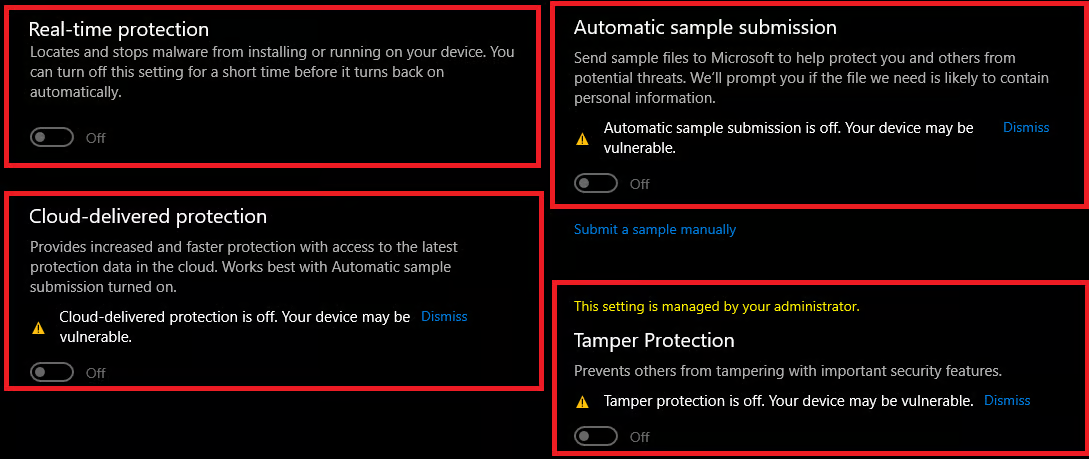
Disable Windows Anti-Virus

  1. Select Start and type Windows Security.
  2. Select the Windows Security app from the search results, go to Virus & threat protection under Virus & threat protection settings select Manage settings.
  3. Now disable everything as shown below.
Disable Windows Anti-Virus
02

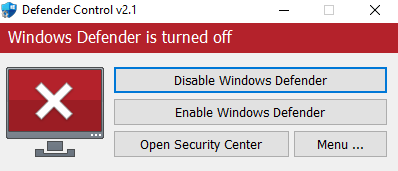
Disable Windows Defender with dControl

  1. Download dControl: HERE
  2. Unzip the files (password sordum)
  3. Run dControl.exe
  4. Disable Windows Defender
Disable Windows Defender with dControl
03

Install Visual run times and Directx

  1. Download Virual run times: HERE
  2. Download Directx: HERE (uncheck bing bar)
  3. Run both & Install them
04

Disable Core isolation

  1. Click your windows key and type ''Core Isolation''
  2. Open it, and disable everything
05

Disable Exploit Protection

  1. Click your windows key, type ''exploit protection'' open it and set EVERYTHING to ''Off by default''
  2. Restart your PC.
06

Disable Vunrable Driver

  1. Click your windows key and search ''CMD'' , open that as administrator
  2. Copy & paste the command below into CMD, press enter, then restart your PC.
reg add "HKLM\SYSTEM\CurrentControlSet\Control\CI\Config" /v VulnerableDriverBlocklistEnable /t REG_DWORD /d 0 /f
07

Disable Virtulization, Secureboot, and TPM (OPTIONAL)

  1. Go into bios
  2. Disable Virtulization (If your on AMD CPU itl be called SVM Mode)
  3. Disable Secureboot and TPM
09

Open the Loader

  1. Open up the loader, and enter your license key
10

Injecting Fortnite Ultimate

  1. On the product selection list, click the Fortnite one and press inject
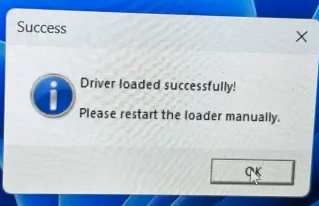
  2. When it says ''driver loaded, reopen loader'' close the loader and click OK
  3. Once done, simply open up Fortnite and the cheat should be injected.
Injecting Fortnite Ultimate
11

Open/close menu

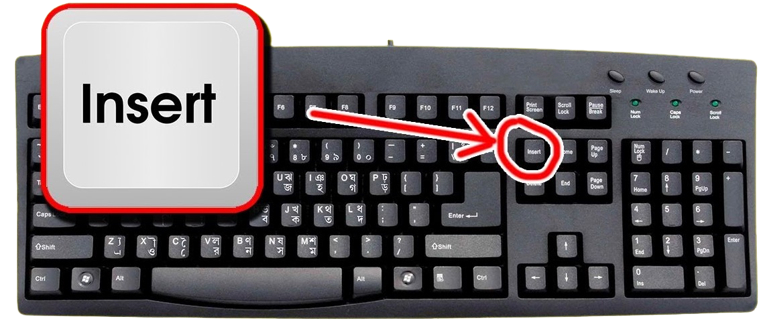
To open / close the menu press the insert key found here. Dont have insert key? If you don't have the insert key because of a 60% keyboard or a smaller keyboard, you can use windows' on-screen-keyboard by pressing Win + CTRL + O

Open/close menu

Final verification

Troubleshooting

Related resources